Abominations X Account Locator: see X's public account location at a glance
Download version 0.9.4 View source on GitHub

Free manual Chrome installation. No Chrome Web Store account or publisher email is required.

SHA-256: b7d64c8284adaa3c164446cac6bdf9dfb5e626ec61dab7514ce757c127f70670 · checksum file

Built by Abomination81

See X's own account-location label while you scroll

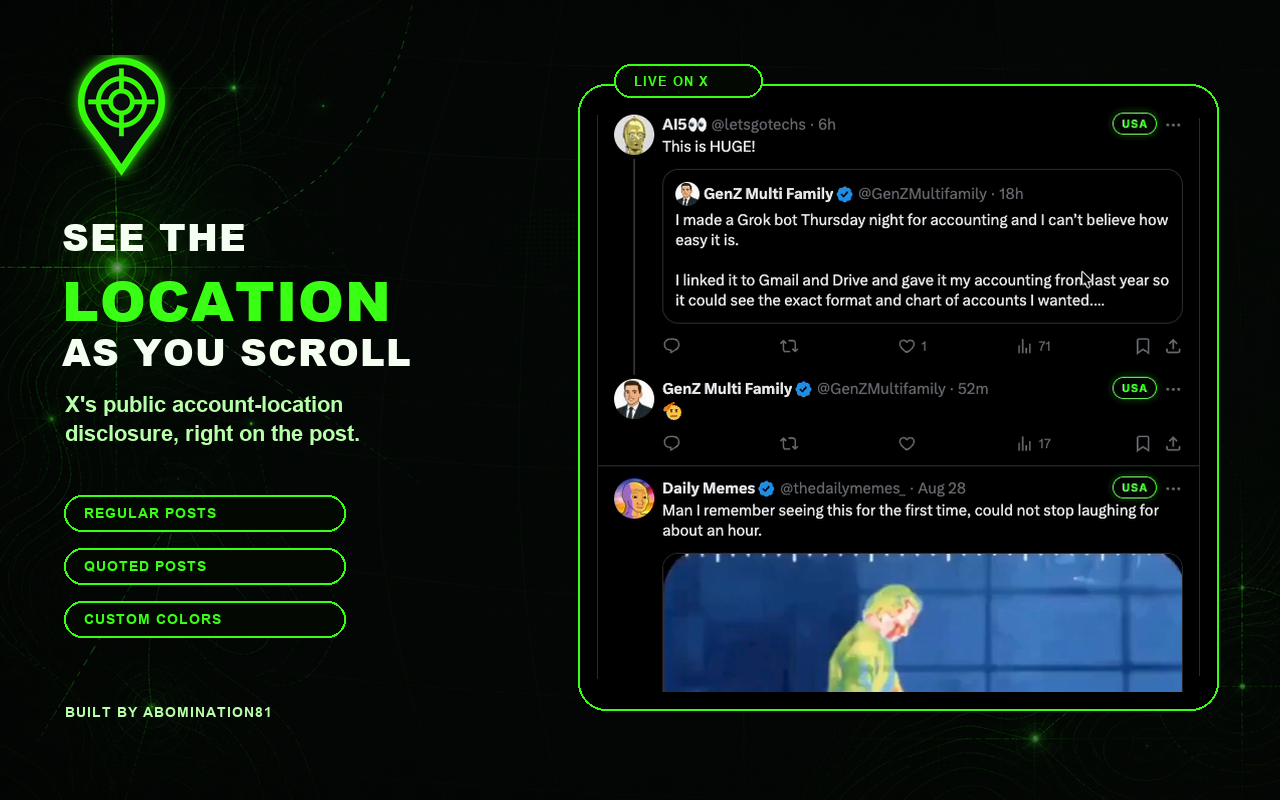
The extension places X's public Account based in disclosure on posts and follower lists. Set colors by country or region; South Asia, Southeast Asia, and Africa default to red.

  • Regular and quoted posts
  • A small red × beside the country to block that account in one click
  • Follower-list badges stay centered after the full name, checkmark, lock, and emojis
  • Your own account is automatically excluded
  • @Abomination81 appears as XANADU for everyone else
  • Custom country and region colors
  • Hardened isolated-world lookups with no page-visible message bridge
  • Local caching for smoother scrolling
  • Fast lookups that pause only when X applies its limit
  • USA, N. America, and UK abbreviations
Green crosshair map-pin logo for Abominations X Account Locator

About two minutes

Install in Chrome

  1. Download the extension. Use the green download button above, then open your Downloads folder.
  2. Unzip the download. On a Mac, double-click the ZIP. On Windows, right-click it and choose Extract All.
  3. Open Chrome extensions. Copy chrome://extensions into Chrome's address bar and press Enter.
  4. Turn on Developer mode. The switch is in the upper-right corner of the Extensions page.
  5. Click Load unpacked. Select the unzipped Abominations-X-Account-Locator folder—not the ZIP file.
  6. Open or refresh X. Sign in at x.com and scroll. Location badges appear after X returns its public account-location result.

Live on X

Location badges at a glance

Example X timeline with green location badges on regular and quoted posts

Watch the short demonstration on YouTube.

Use the popup

Pin the extension from Chrome's puzzle-piece menu, then click its green crosshair icon to:

  • Choose a default badge color
  • Add colors for individual countries or whole regions
  • Pause or resume lookups
  • View lookup and rate-limit status
  • Clear the local cache

Follower-list warning: Scanning many follower or following rows can quickly use X's location-lookup allowance. If X applies a temporary limit, new locations pause until X resets it; cached locations remain visible.

Quick block: Hover over a badge’s red × to check the handle, then click to block immediately. After X confirms success, the × turns black and fades away. Failed or unconfirmed blocks leave it red, with no popup. Clicking the country still opens its location details. You can unblock from that account’s X profile.

New in 0.9.4: Silent block results replace popups. Confirmation still requests X’s blocking status and makes one read-only relationship check when a successful response is ambiguous. Verification never sends another block request.

Privacy

Clicking the red × sends that account’s username to X to add it to your block list. Blocking happens only when you click.

There is no developer-operated server, advertising, analytics, or data brokerage. Your signed-in username is detected locally only to exclude your own account. Requests needed for other visible accounts go only to X and X's asset domain through your existing X session. Settings and the bounded lookup cache stay in Chrome's local extension storage.

Read the full privacy explanation.

Important context

X says its account-location field is inferred from aggregated IP addresses. It may be inaccurate and is not proof of nationality, identity, physical presence, or who controls an account.

Updating or removing it

Update: Download the latest ZIP, replace the old folder, open chrome://extensions, click Reload on the extension card, and refresh X.

Remove: Open chrome://extensions and click Remove. Chrome also removes the extension's local settings and cache.